The Ohio Scholarship Tax Credit allows you to claim a dollar-for-dollar tax credit up to $750 (or $1,500 for couples), directly reducing your tax bill or boosting your refund. Follow the steps ahead to prepare your 2025 tax return, confirm your eligibility, and complete your donation online—it’s a simple way to save on taxes and make a difference!
To determine if you qualify to donate to Agape’s SGO and receive a dollar-for-dollar tax credit from the State of Ohio,
follow these steps:
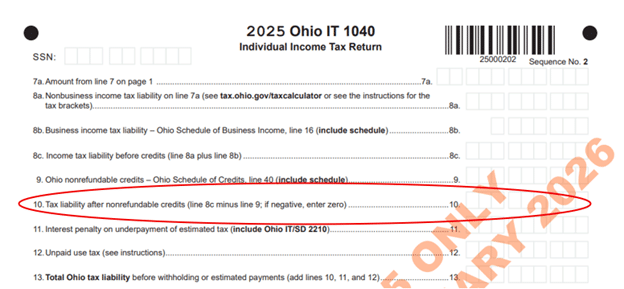
3. Confirm Eligibility – If the amount on line 10 is greater than $0, you qualify to donate to the Agape SGO and receive a dollar-for-dollar credit, up to the lesser of:
The state-mandated limits: $750 for single filers or $1,500 for married couples filing jointly.
4. Make Your Donation – Follow the steps below to contribute to the SGO.

3. On the next page select the “Donate Now” button

4. Complete the form with all of the information requested.
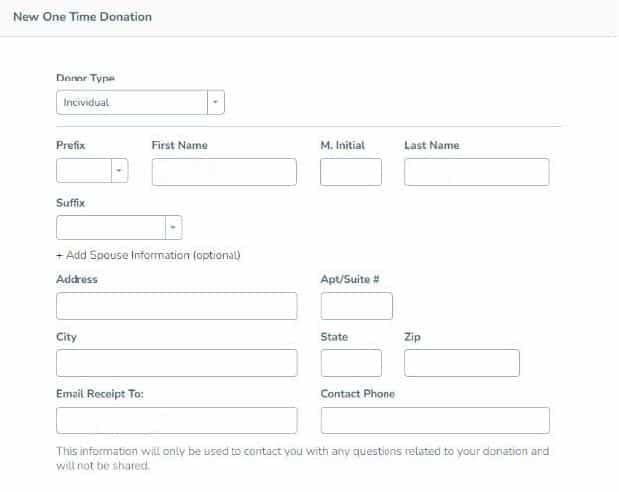
If you are donating as a husband and wife to take advantage of a donation greater than $750, be sure to select the line “+ Add Spouse Information (optional)”
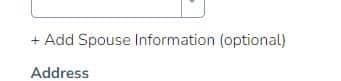
Complete the additional information for your spouse as requested.

5. Select “Agape Christian Academy – Burton” from the dropdown list under “Select Schools”
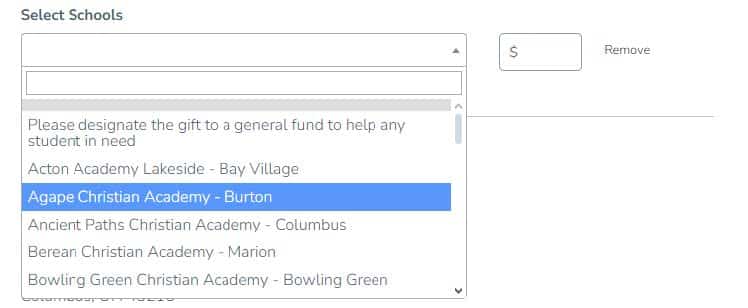
6. Enter the amount of your gift in the indicated box.

7. Select the payment type you wish to use (for immediate credit, we suggest using “Credit Card” or “ACH Direct Debit”.
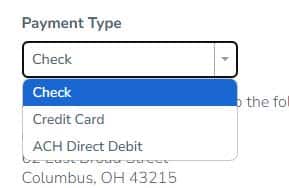
8. Complete any additional information based on the payment type selected.
9. Click the “Submit Donation” button at the bottom.

10. You will be sent an email acknowledging your donation, and you can download a PDF of it. This is important because you will need to submit your donation receipt with your Ohio tax return. Print the receipt and give it to your Accountant/Tax Preparer or download the PDF and upload it when you submit your tax return electronically. A paper copy should be printed if you intend to use the US Mail to send your tax return.
11. You or your accountant or tax preparer should revise your Ohio tax return and enter the amount of your donation on line 16, labeled “Nonchartered, nonpublic school tuition credit," located on page 2 of the schedule titled “2025 Ohio Schedule of Credits” in the section "Nonrefundable." Credits”.
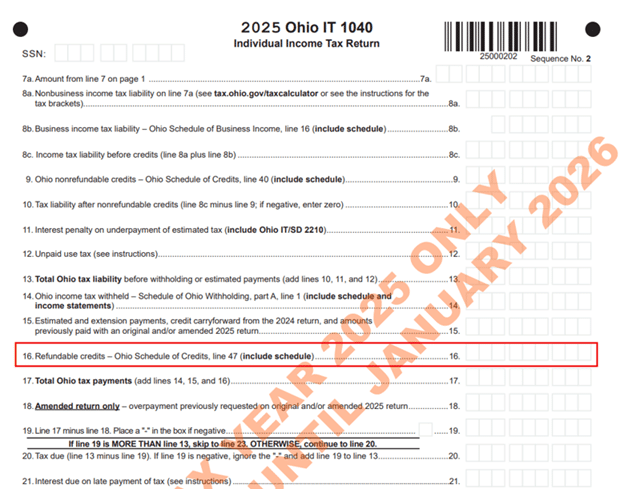
12. If your tax return before your donation indicated a refund, your new refund will increase dollar for dollar by the amount of your donation. If your tax return shows a balance due, your amount due will decrease dollar for dollar by the amount of your donation and may even change to a refund.
13. You or your accountant or tax preparer can now file your tax return and ensure that you submit a copy of your receipt at the same time; otherwise, this may delay your refund.

The foolishness of God is wiser than man's wisdom, and the weakness of God is stronger than man's strength.